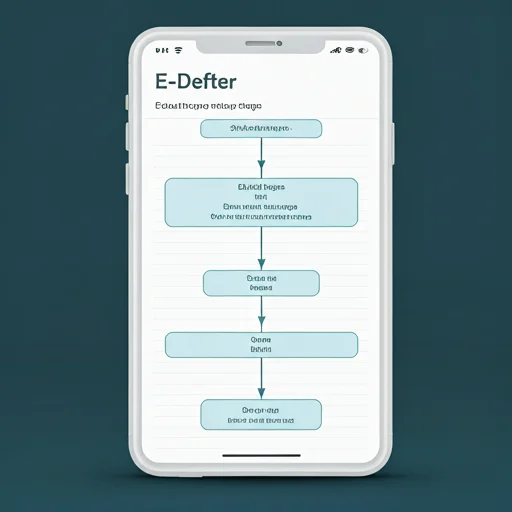
Issuing an e-delivery note has become routine for many businesses today. With the conveniences brought by digitalization, the process of issuing e-delivery note has become very practical. Here are the steps to edit e-delivery note:
1. E-Invoice Program Selection:
You must choose an e-invoice program authorized by the Revenue Administration (GİB). These programs are generally cloud-based and user-friendly.
Popular E-Invoice Programs: Programs such as Paraşüt, Netsis, Logo are frequently preferred.
2. Program Registration:
You must create a user account by registering to the e-invoice program of your choice. During this process, you will usually be asked for your tax number, contact information and other necessary information.
3. Data Entry:
You must enter the information of the goods or services for which you will issue an e-delivery note into the program. Among this information;
- Buyer information:Such as name, surname, tax number, delivery address.
- Goods/service information:Such as name, quantity, unit price, VAT rate.
- Delivery information:Such as delivery date, delivery method.
- Payment information:Payment method, maturity etc. (payment information is not mandatory in the e-delivery note).
4. Creating E-Delivery Note:
After checking the entered information, you can create your e-delivery note by clicking the "Create e-delivery note" button on the e-invoice program.
5. Signature and Submission:
- You confirm the created e-delivery note by signing it with an electronic signature.
- The signed e-delivery note is automatically sent to the recipient's e-mail address.
6. Registration:
All e-delivery notes created are recorded in your e-invoice program. In this way, you can easily access and report your subsequent transactions.
Things to Consider When Creating an E-Delivery Note:
- Correct Information Entry:It is important that all information is entered correctly and completely. It is of great importance for tax purposes that information such as tax number and delivery address are correct.
- GIB Regulations:Following the regulations published by the Revenue Administration ensures that you have up-to-date information during the e-delivery note issuance process.
- Electronic Signature:It is mandatory to use an electronic signature for the legal validity of the e-delivery note.
- Storage Period:It is a legal obligation to keep e-delivery notes for the specified period.
Advantages of E-Delivery Note
- Speed: Since paperwork is eliminated, transactions are carried out much faster.
- Truth:Data entry errors are minimized, thus more accurate and reliable information is obtained.
- Transparency:All transactions are recorded electronically, thus ensuring transparency.
- Cost Savings:Costs such as paper, printing and shipping are eliminated.
- Eco-Friendly:Environmental awareness is increased by reducing paper consumption.
- Data Security:Data is protected thanks to strong security measures.
- Tax Compliance:Compliance with tax legislation becomes easier.
In summary,E-delivery note issuance is a very simple process if done with the right e-invoice program selection and correct information. In this way, businesses can save time and costs, increase their efficiency and fulfill their legal obligations.
Additional Information:
- Various Customers E-Delivery Note:It is issued in cases where the recipient is not registered in the e-delivery note application.
- Return E-Delivery Note:It is issued in cases of incorrect or incomplete delivery.
- E-Delivery Note Cancellation:Incorrectly issued e-delivery notes may be cancelled.
Evren Computer Systems With the conveniences brought by digitalization, e-delivery note editing has become very practical.